

Firewalla adds enterprise Wi‑Fi tools in App 1.67 update
Tue, 13th Jan 2026.webp)
Firewalla has released version 1.67 of its mobile app, adding WPA2-Enterprise and WPA3-Enterprise Wi‑Fi security options, new access point controls, and expanded RADIUS features aimed at small businesses, managed service providers, and advanced home users.
The update is available for iOS and Android beta users, and through an iOS early access channel. Some functions require Firewalla AP7 hardware, Firewalla MSP, or early access or beta firmware on Firewalla devices.
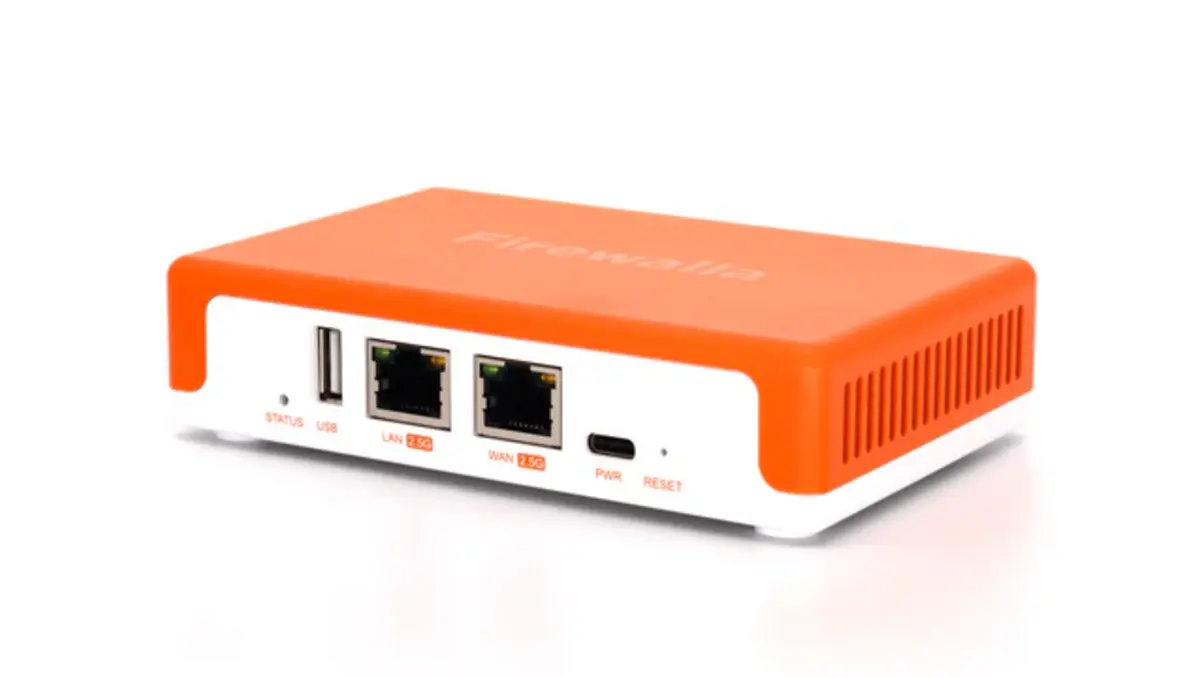
Firewalla sells network security appliances and a Wi‑Fi 7 access point. The company positions its products for small organisations and technical consumers that want centralised control over network security and connectivity.
Enterprise Wi‑Fi
A central change in App 1.67 is support for WPA2-Enterprise and WPA3-Enterprise on the Firewalla Wi‑Fi 7 Access Point, the AP7. Firewalla said the feature works through a local RADIUS server built into its platform.
The company said the enterprise Wi‑Fi configuration supports individual user credentials. It also said it supports dynamic user assignment. Firewalla said the approach offers stronger authentication than shared Wi‑Fi passwords and aligns with newer network requirements, including 6 GHz Wi‑Fi deployments.
Firewalla also added beta support for using its system as a RADIUS server for third-party access points. The company described it as expanded RADIUS support in the same release.
Firewalla Co-founder Jerry Chen said the company saw demand for tools that often sit in larger corporate IT stacks.
"Small businesses and technical home users are facing the same Wi-Fi security and management challenges as large enterprises, but without the same tools," said Jerry Chen, Co-founder, Firewalla. "With App 1.67, we're bringing enterprise-class Wi-Fi security, RADIUS authentication, and granular access control to environments that have traditionally been underserved, while keeping everything approachable and easy to manage from the Firewalla app."
Access Point Control
App 1.67 introduces bridge mode support for the AP7 when used with Firewalla Gold and Purple series boxes. Firewalla said bridge mode gives network administrators more options for how they deploy access points in existing network designs while still managing Wi‑Fi settings through the same management interface.
The update also adds granular control over which devices connect to specific access points. Firewalla said administrators can block selected devices from connecting to selected AP7 units. The company tied the feature to roaming behaviour and device placement across multiple access points.
Firewalla also added a backhaul mode selection setting for AP7. The company said users can choose wired-only backhaul or automatic wired and wireless backhaul. The company said the change gives more predictable behaviour in deployments that use Ethernet.
Firewalla listed an additional Wi‑Fi function as an upcoming AP7 update rather than part of the app release itself. It said the access point will automatically avoid DFS channels when it detects radar interference. The company said the change improves stability where DFS channels present issues.
MSP Management
Firewalla said the app now includes limited-access and no-access mobile views for MSP-managed Firewalla boxes. The company said the settings allow organisations to provide monitoring views for non-technical users without handing over administrative controls.
The change puts access controls into the mobile app rather than relying only on account separation or informal device sharing. It also fits a broader pattern in security and networking products where managed providers want a clear distinction between read-only monitoring and configuration privileges.
Network Controls
Beyond Wi‑Fi and MSP features, App 1.67 adds several network and security controls. Firewalla said the update adds IPv6 DNS configuration for WAN and LAN networks. IPv6 adoption continues to rise across consumer broadband networks and enterprise environments, and DNS controls form part of many organisations' baseline security policy.
Firewalla also added a function that mutes upload alarms at the port level. It described the feature as "port-level muting for upload alarms". The company also introduced an "NSFW AI Target List" for content filtering.
Device Migration
On iOS, Firewalla added an app migration feature for users who switch or replace phones. The company said users can securely back up and restore the app's private key rather than re-pairing devices. Firewalla framed the change as a recovery improvement for existing installations.
The release lands as vendors across small business networking continue to add features once seen mainly in larger IT environments, including identity-backed Wi‑Fi access, more formal role-based access controls, and increased attention to IPv6 configuration. Firewalla said additional AP7 changes, including DFS channel handling, will follow in a future update.