

Hands-on review: Apple Creator Studio earns its keep
Wed, 13th May 2026
Apple's creative bundle is smartly priced, thoughtfully built and genuinely useful for Mac and iPad creators.
First look
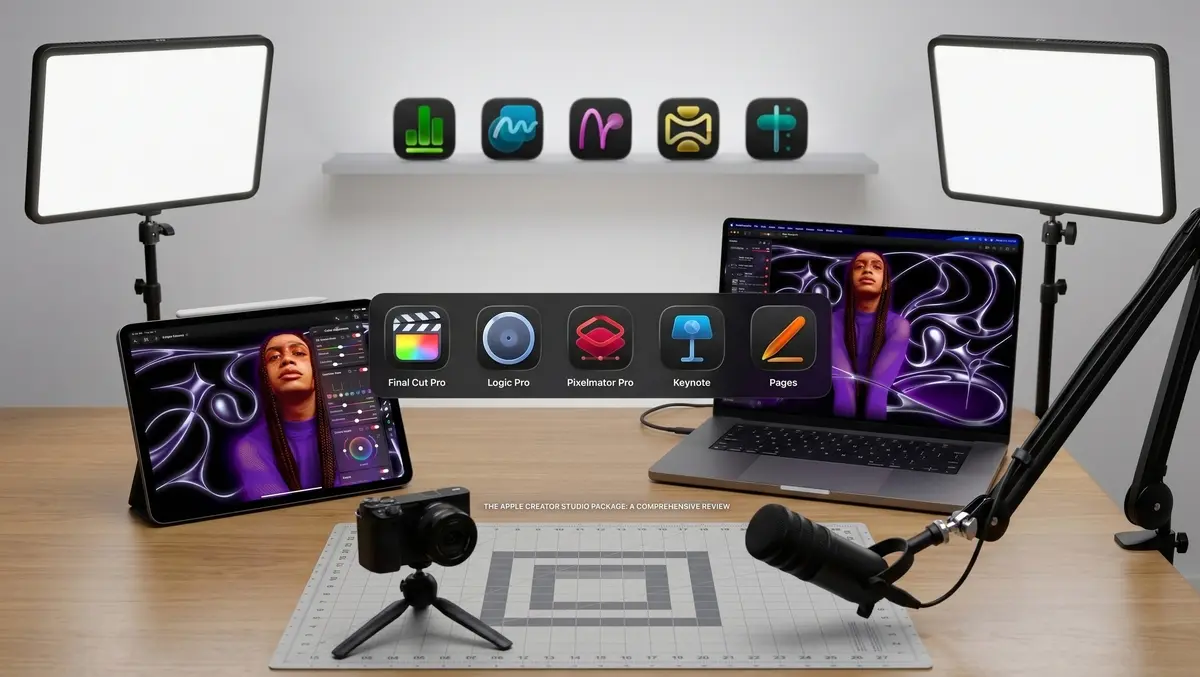
Apple Creator Studio is not a single app. It is a subscription that brings together several of Apple's strongest creative tools. Final Cut Pro, Logic Pro and Pixelmator Pro sit at its centre. Motion, Compressor and MainStage add Mac-focused depth. Keynote, Pages, Numbers and Freeform gain premium templates, stock assets and intelligent features.
The bundle could have felt crowded. Instead, it feels coherent. It is built for the modern solo creator: someone who edits video, cleans up audio, designs thumbnails, builds pitch decks and manages simple budgets across Apple devices.
The value is clear. Apple charges AUD $19.99 per month or AUD $199 per year in Australia. In New Zealand, it costs NZD $24.99 per month or NZD $249 per year. Students and educators pay AUD $4.99 per month or AUD $49 per year in Australia, and NZD $4.99 per month or NZD $49 per year in New Zealand.
The standard plan can be shared with up to six family members. That makes it especially appealing for households, small teams and creators who use more than one Apple device.
Bundle logic
The main strength is that Apple's creative apps now feel like parts of one system. Final Cut Pro, Logic Pro and Pixelmator Pro no longer sit apart from each other. Moving between Mac and iPad feels natural, and the apps increasingly support the same style of work.
Apple has also kept one-off Mac purchases for Final Cut Pro, Logic Pro, Pixelmator Pro, Motion, Compressor and MainStage. Long-time users still have a choice. Creator Studio is best understood as the easiest route into the full suite, rather than a replacement for every existing buying option.
The subscription works best when you use several apps in the bundle. A video maker can cut in Final Cut Pro, polish audio in Logic Pro, design graphics in Pixelmator Pro and build a client presentation in Keynote. Each app has a clear role.
Motion, Compressor and MainStage will not matter to everyone. They still add substance. The real draw is the mix of professional video, music and image tools with a more capable productivity layer.
Video tools
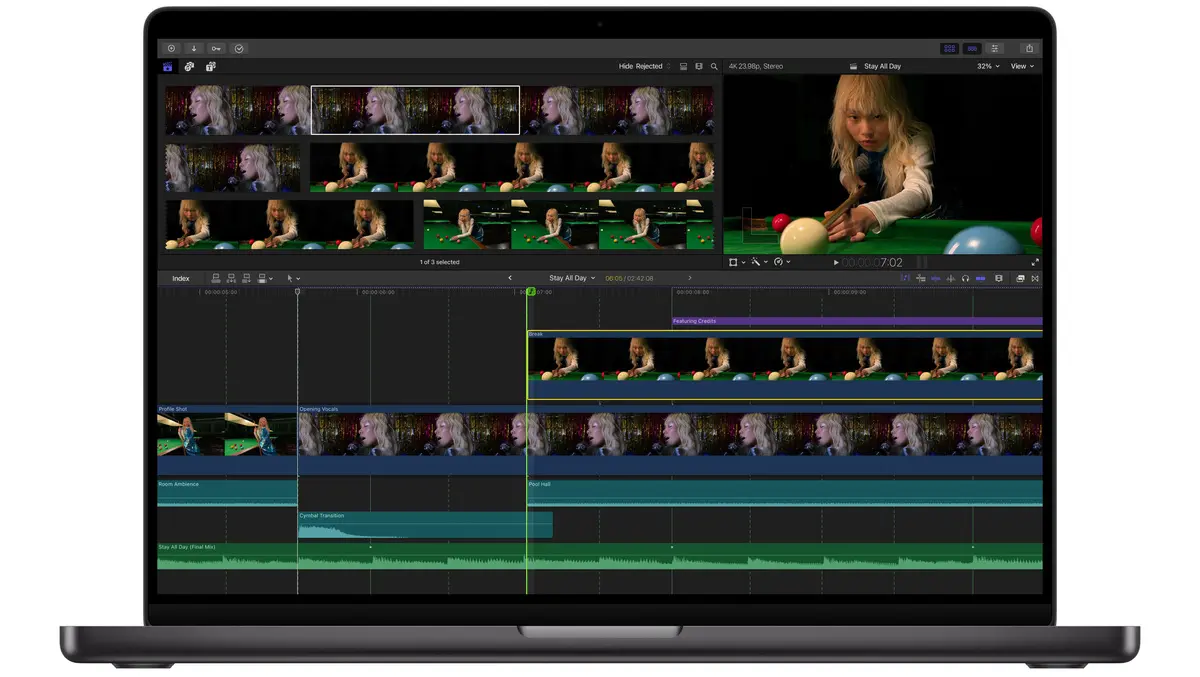
Final Cut Pro gets some of the most useful upgrades in Creator Studio. Transcript Search and Visual Search make large projects easier to manage. If you work with interviews, video podcasts or long shoots, finding a spoken phrase or visual moment is far quicker than scrubbing through footage by hand.
Beat Detection is another smart feature. It analyses a music track and displays a beat grid, so edits can line up more easily with rhythm. It does not replace editorial judgement. It simply makes fast, music-led work easier.
The iPad version has taken a real step forward. Montage Maker can turn clips and a soundtrack into a highlight edit. It is best used as a starting point, but it is a useful one. Multiple selection support also speeds up timeline work by letting you apply changes to several clips at once.
Background export and external monitor playback make Final Cut Pro for iPad more capable in real production use. The iPad now feels less like a secondary device and more like a serious editing machine, especially for creators working on location.
Music tools
Logic Pro follows the same practical pattern. Synth Player and Chord ID help ideas take shape quickly. They are useful for electronic music, backing tracks, podcast beds and video cues.
The important point is control. These tools assist rather than take over. Synth Player can create keyboard or bass parts, but you still direct the performance. Chord ID can analyse audio or MIDI regions and populate the chord track, which helps Session Players follow an existing idea.
The Mac version also gains the Sound Library experience already familiar to iPad users. Producers can browse, preview and install sound packs from inside the app.
On iPad, Quick Swipe Comping is a major improvement. It makes it easier to build a polished vocal or instrument performance from several takes using touch or Apple Pencil. Music Understanding also improves loop discovery. Searching for a phrase such as "dreamy electric piano" feels more natural than filtering through tags.
Logic Pro remains a deep app, but Creator Studio broadens its appeal. It is not only for full-time music producers. It also suits podcasters, video editors and creators who need better sound without buying into a separate audio ecosystem.
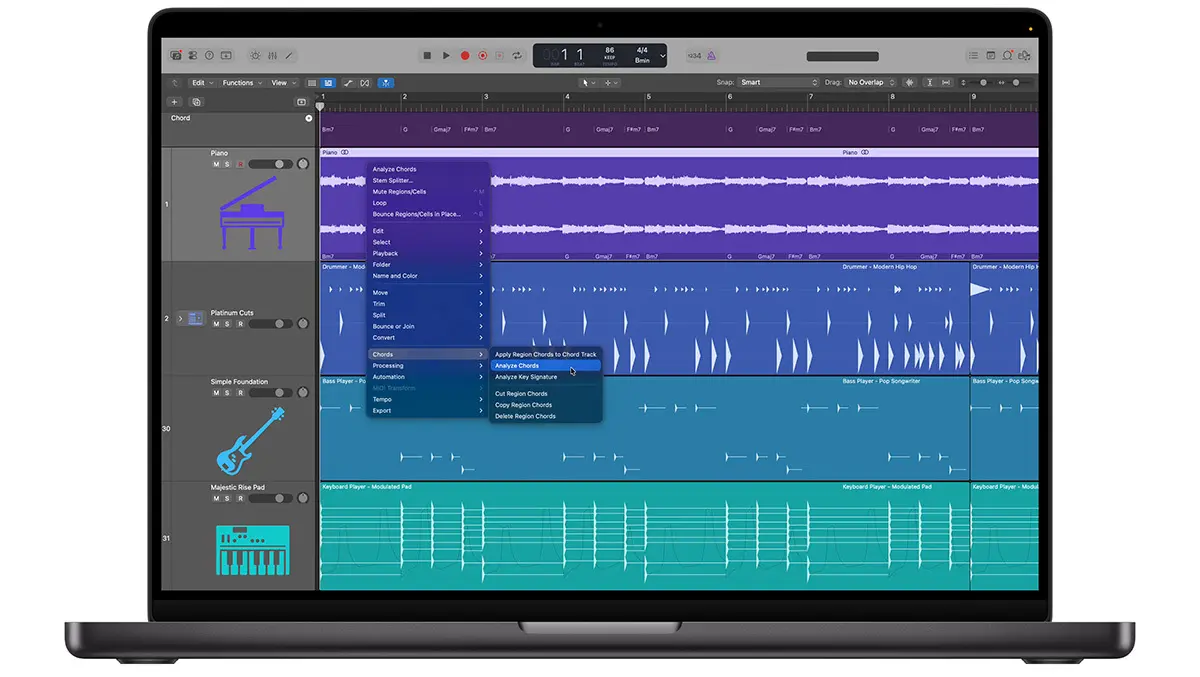
Image work
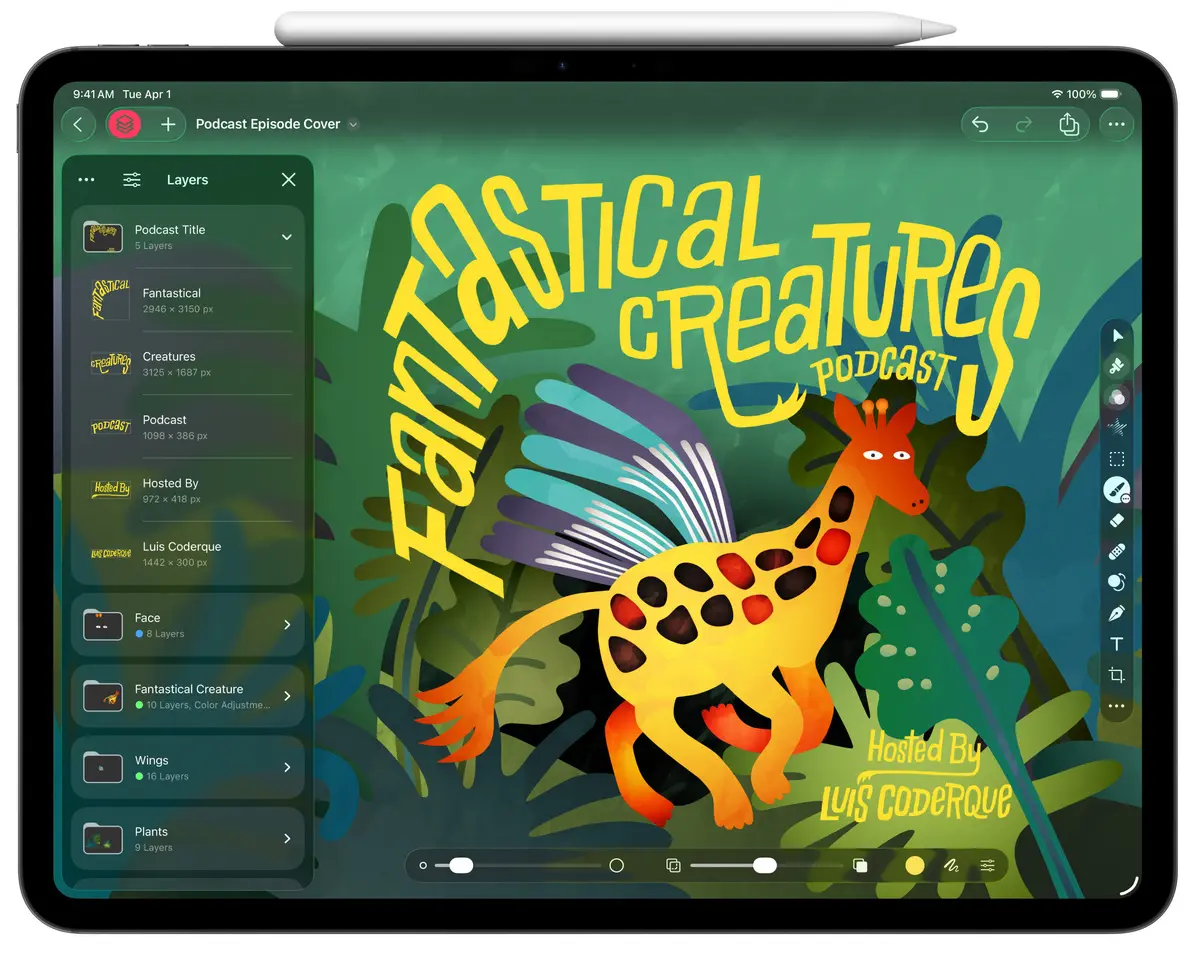
Pixelmator Pro may be the most important addition to the bundle. It gives Creator Studio a strong image-editing pillar. It is approachable, but still has depth in layers, masks, retouching, vector graphics, painting and design.
The iPad version is especially impressive. Pixelmator Pro feels properly adapted for touch. Apple Pencil support is central to the experience, not an afterthought. Painting, masking, drawing and detailed edits all feel well suited to the device.
The Mac and iPad versions also work well together. Projects can move between devices with edits preserved. You can start a design on a Mac, refine it on an iPad, then return to the desktop for finishing work.
On the Mac, the new Warp tool is a strong creative feature. It lets you reshape layers with fine control, which is useful for mock-ups, posters, packaging and social graphics. Warp-powered mock-ups also help designs look finished with less setup.
Pixelmator Pro's existing AI features are another highlight. Super Resolution, Auto Crop, background removal and selection tools make repetitive edits faster. They feel valuable because they sit inside a conventional editing workflow rather than off to the side.
Productivity layer
The productivity apps give Creator Studio a broader purpose. Keynote, Pages, Numbers and Freeform are not just extras. They help with the work that surrounds creative production.
That matters for freelancers and small studios. A project rarely ends with a finished video or image. You may also need a proposal, mood board, storyboard, pitch deck, quote sheet or simple project tracker. Creator Studio makes those tasks easier without pushing you into another service.
The Content Hub is useful. It brings Apple-curated photography, graphics, illustrations and backgrounds into the apps. Premium themes and templates also help Keynote, Pages and Numbers feel more polished from the start.
The image tools are well integrated. Super Resolution can upscale lower-resolution content. Auto Crop can suggest stronger compositions. Image Generation can create visual concepts, icons, graphics and photos from prompts. These features fit naturally into document and presentation work.
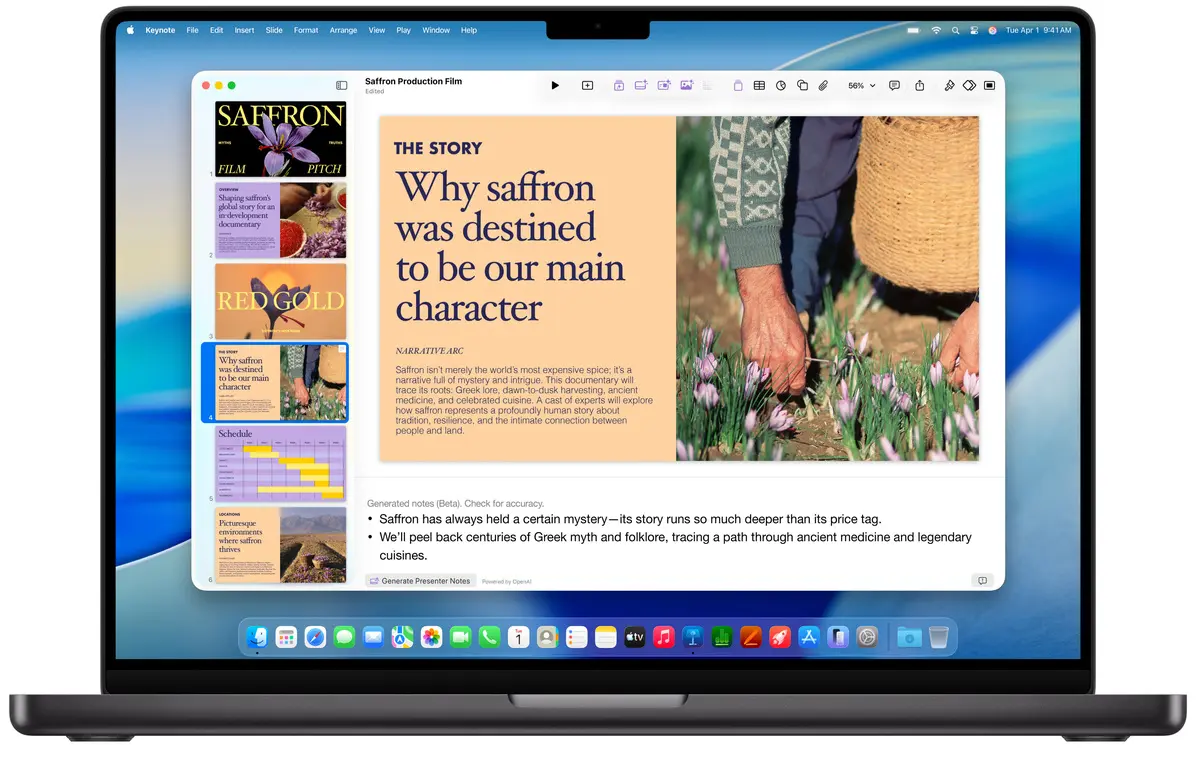
Keynote's intelligent tools are particularly interesting. It can generate presentation slides from text, create presenter notes and clean up slide layouts. Numbers also gains Magic Fill, which can recognise patterns in a spreadsheet and suggest missing values or formulas.
Daily use
Creator Studio is at its best when it removes routine work. Searching footage is quicker. Finding loops is easier. Building a draft deck takes less time. Creating social graphics feels more direct.
It also reduces app-hopping. A creator can stay inside Apple's software for more of the workflow. That is not only convenient. It also makes the iPad feel more useful as a production machine.
The design language is consistent across the bundle. The apps still have different jobs, but they feel related. That matters when switching between video, audio, image and presentation tasks throughout the day.
Creator Studio also benefits from Apple silicon. The more demanding tools feel fast on recent Macs and iPads. On-device AI features, especially in Pixelmator Pro, help the package feel responsive rather than cloud-bound.
Early verdict
Apple Creator Studio is a highly convincing bundle. It brings together apps with strong reputations and gives them a clearer shared purpose. The best new features are practical rather than showy. That is why the package works.
Final Cut Pro becomes faster for real editing work. Logic Pro becomes more helpful at the idea stage. Pixelmator Pro gives the suite a serious design and image-editing centre. Keynote, Pages, Numbers and Freeform add polish to the business and presentation side of creative work.
The pricing is easy to like in Australia and New Zealand. For anyone using several of these apps, the annual plan looks especially good. Family Sharing makes it stronger again.
Creator Studio is best for people already working on Mac and iPad. For that audience, it is excellent. It feels focused, useful and well timed. Apple has built a creative subscription that earns its place.